-
Login to your account on biz.tranzak.net
-
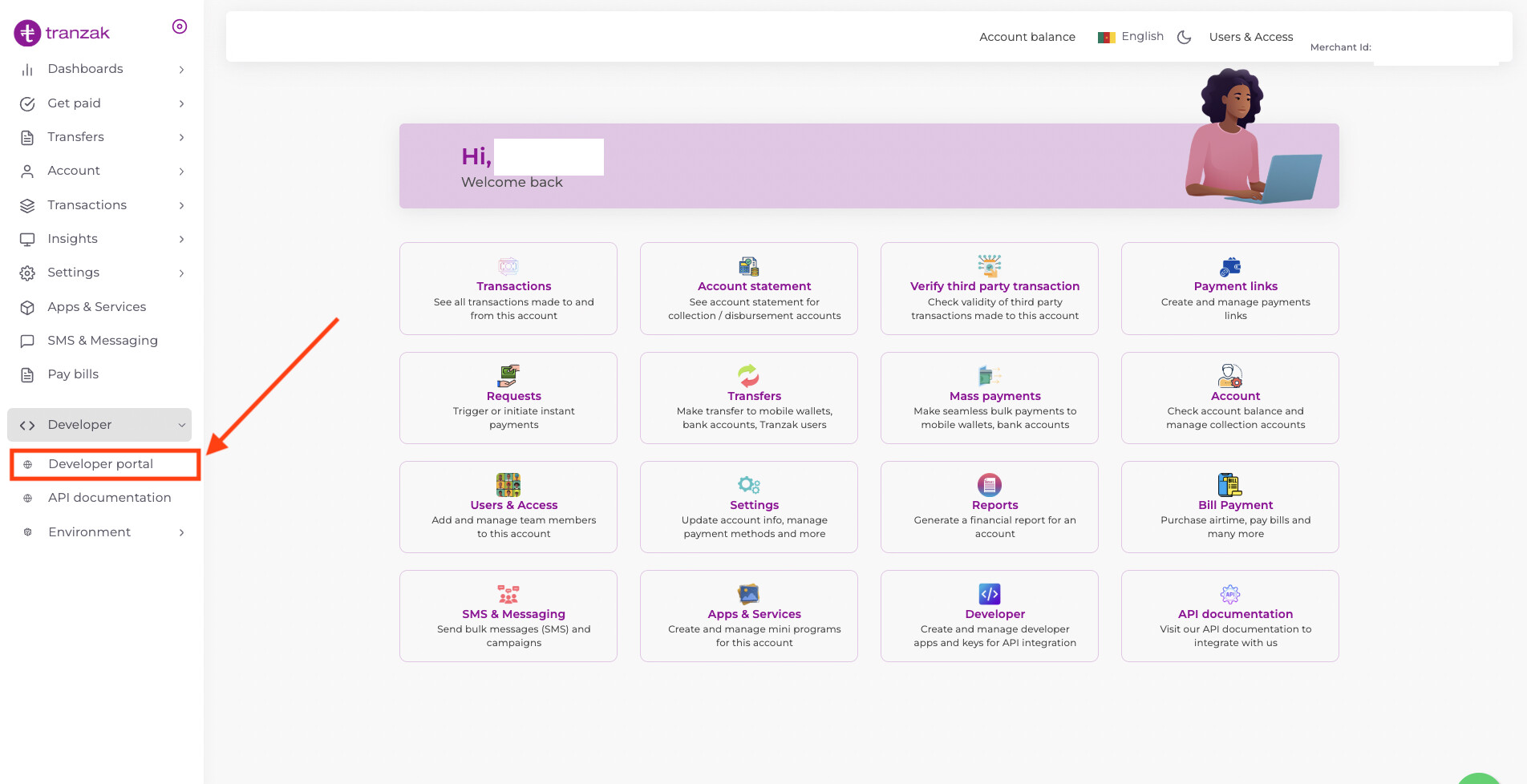
Click on the
Developer portalbutton from the side menu as seen in image below
-
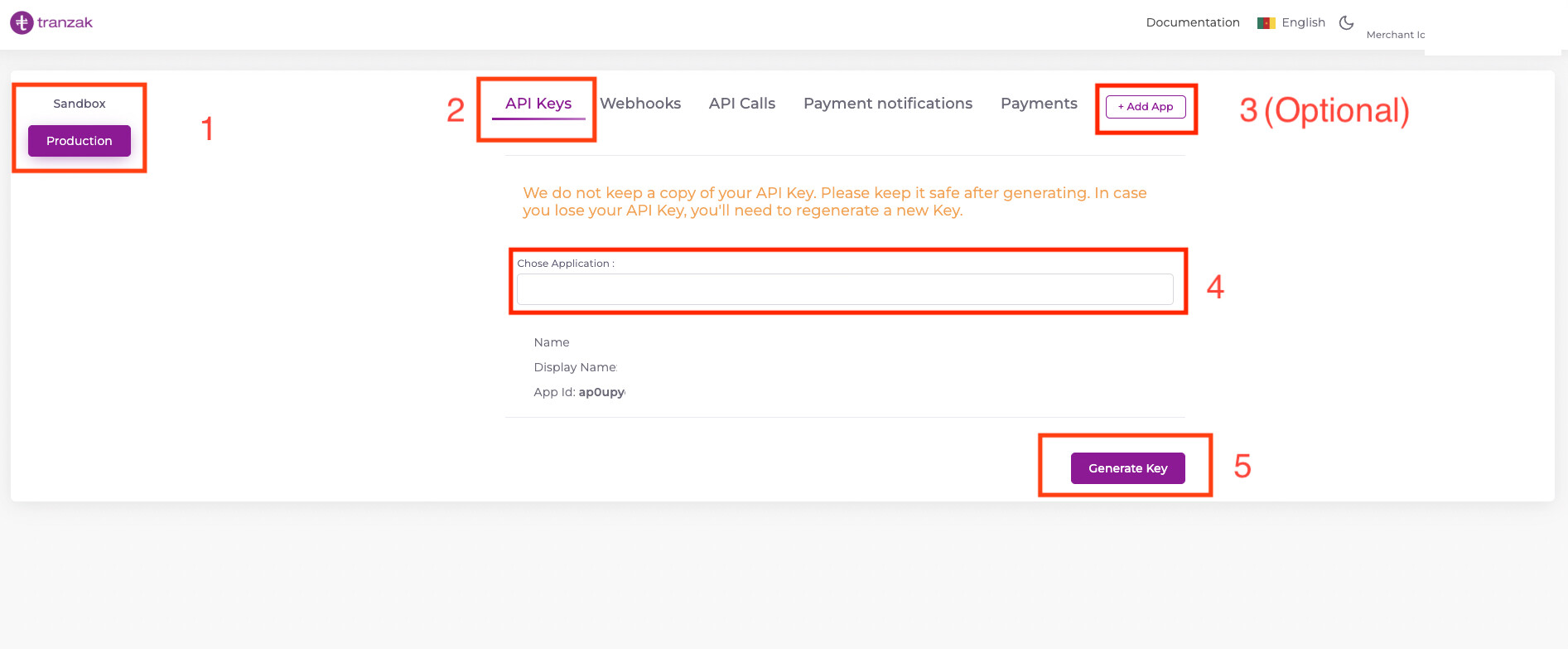
You’ll be redirected to the developer portal as seen in the image below. Follow the highlighted steps.
-
Selecting environment
-
Ensure you are on the API Keys tab
-
This is optional and only in cases where you want to create a new appId
-
Select the app you want to generate appKeys for.
-
Click the
Generate Keybutton
-
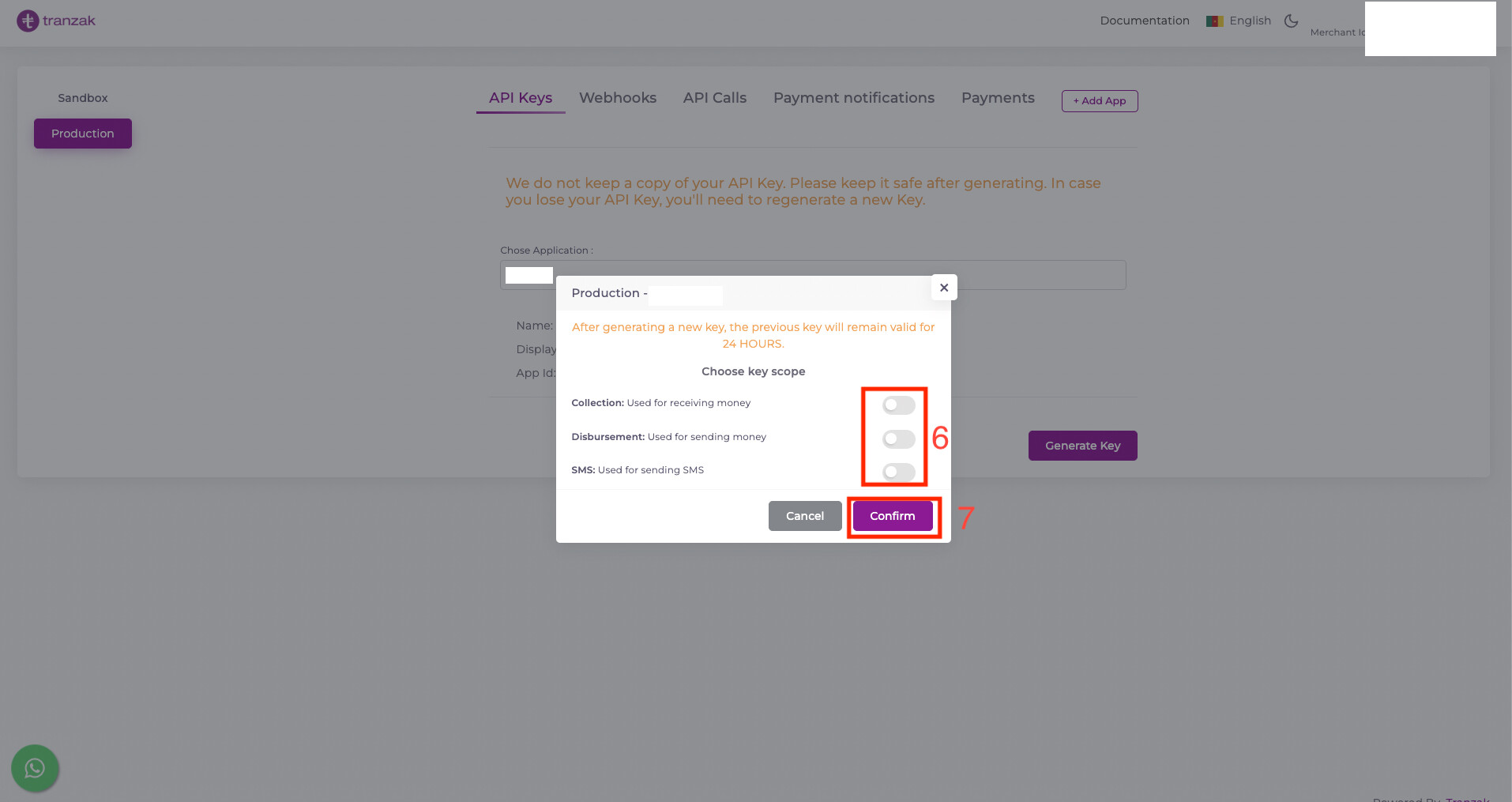
Select the
Scope(permissions) you’ll like to grant to your newly created keys -
Click the
Confirmbutton to generate your keys.
Copy your newly created keys and keep them safe. We do not keep a copy of your keys
Any previously generate key for the selected appId would be invalidated within 24 hours from the time the new keys are generated.