Before using the SMS API for sending OTP / Verification messages, you need to submit a template. Follow these steps
-
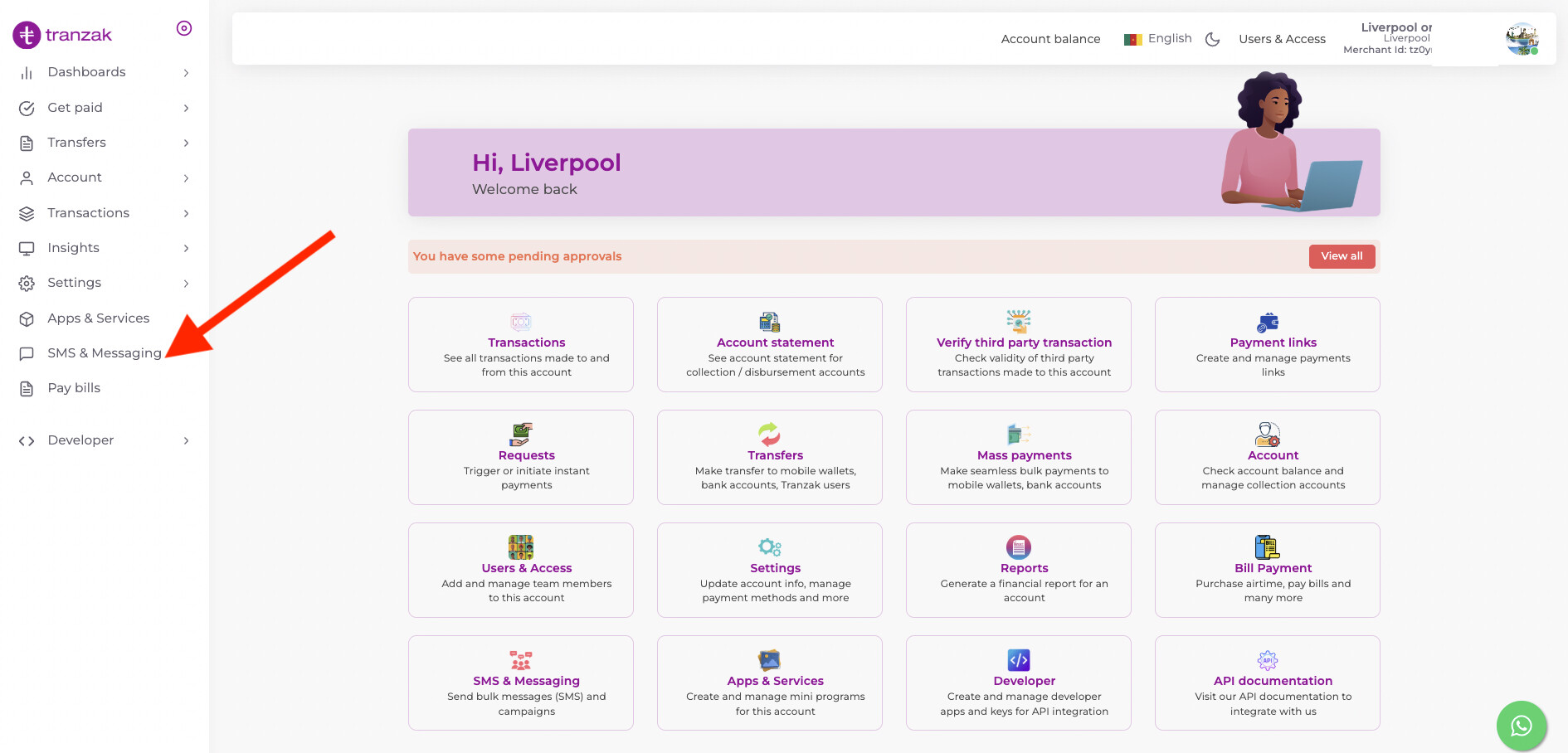
Long into your account on https://biz.tranzak.net, then click on
SMS & Messaging.
-
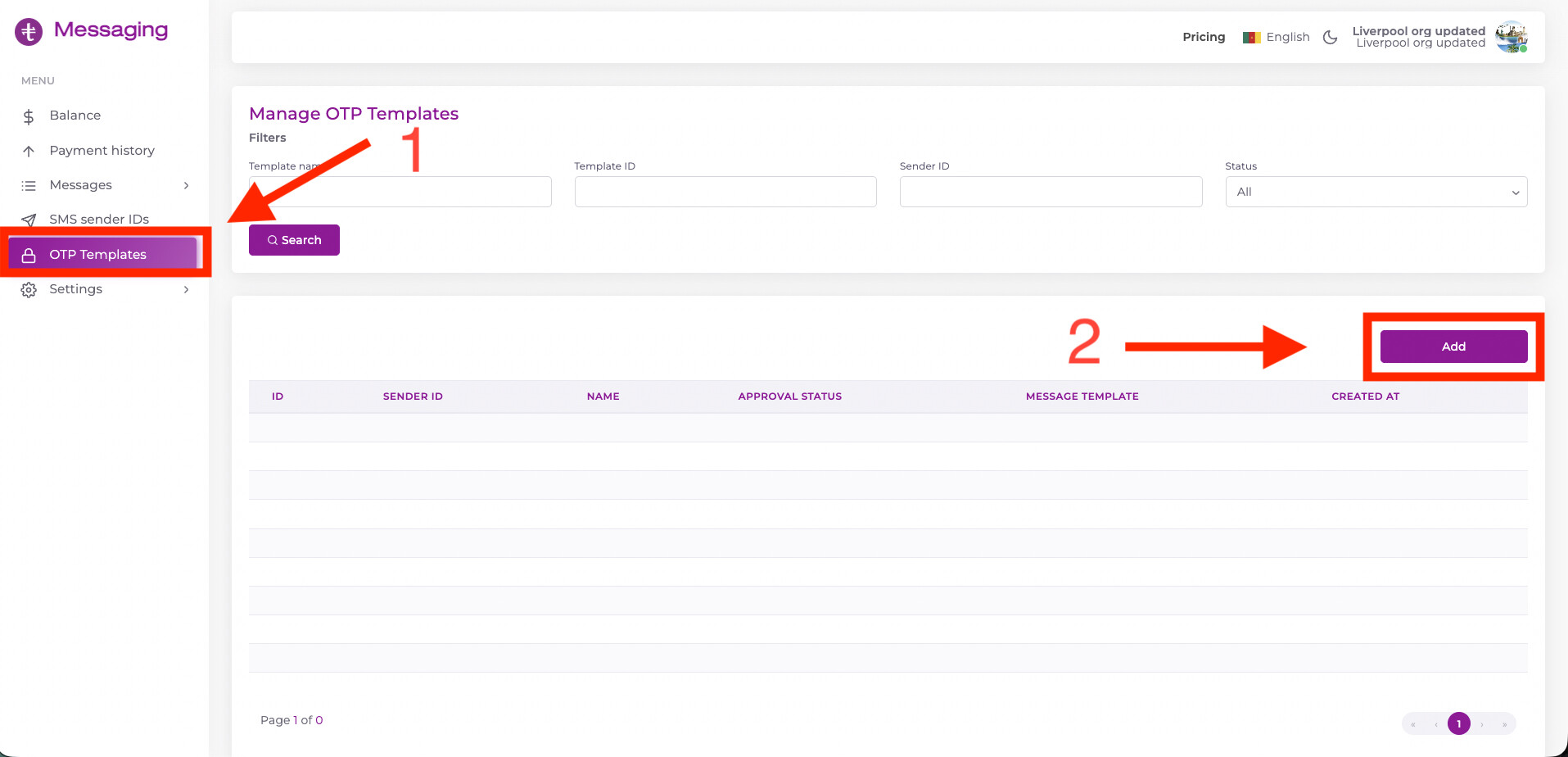
Once you are logged into the messaging portal, click on
OTP Templates, and the on theAddbutton.
-
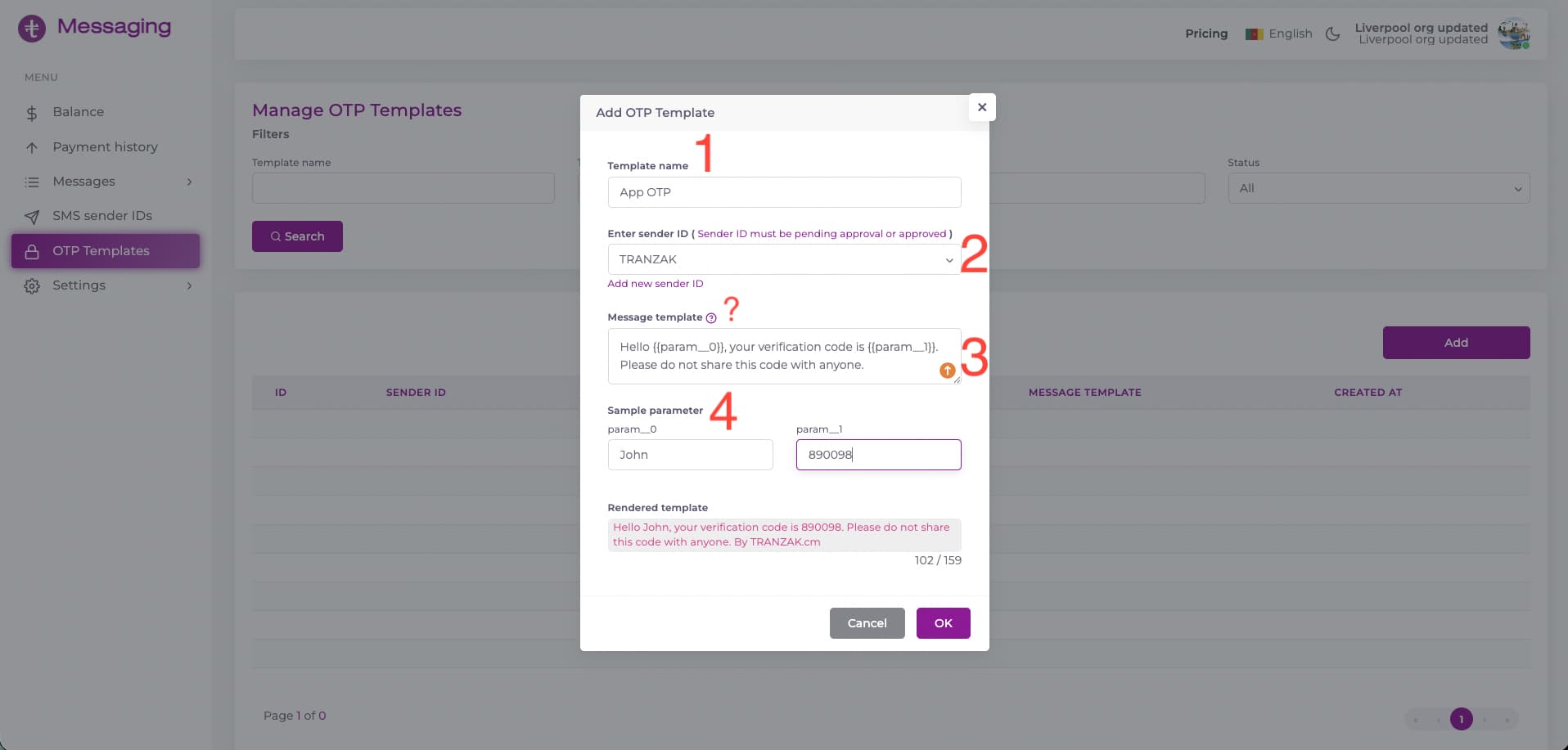
Fill the all fields in the form provided. Label
1represents the template name,2represents the SMS Sender ID to be used. If you don’t have one already, you can click on theAdd new sender IDbutton,3represents the message template you can hover on the?icon to see a hint on what is required,4represents sample parameters to fill the placeholders you created. Remember to arrange your params inascending orderand starting with0, soparam__0,param__1,…
-
You can submit and wait for your template to be reviewed.